Your Markdown vault, in any browser tab.
OpenMarkdown opens the same folder of Markdown files Obsidian does, renders the same syntax, and runs its community plugins and themes unmodified — with no install, no account needed, and no server holding your notes.
Free and open source. An independent project, not affiliated with Obsidian or Dynalist Inc.
Features
The vault you already have, with the plugins you already use.
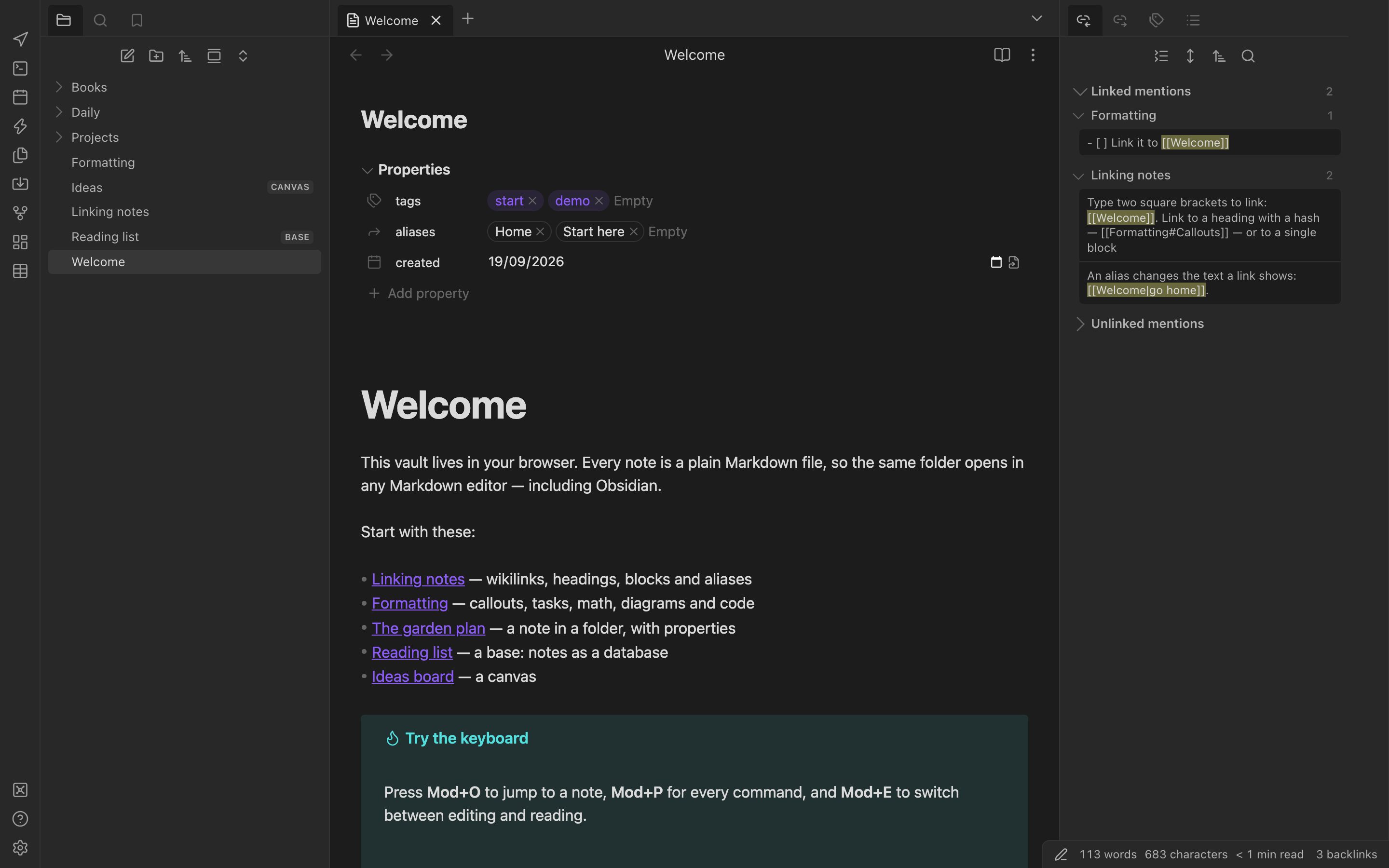
Not an importer and not a look-alike. The same files, the same .obsidian settings folder, the same plugin API.
Community plugins run as their authors shipped them.
The plugin store lists all ~7,600 plugins and ~750 themes. Of the 25 most-downloaded plugins, the 24 that are not desktop-only all load and pass their core flows: Dataview, Tasks, Templater, Kanban, Excalidraw, Calendar, Outliner, Advanced Tables, Style Settings, QuickAdd, Linter, Iconize and more.
Desktop-only plugins — the ones that need Node or Electron — are refused with a message, as they are on Obsidian mobile.
The core features, including the heavy ones.
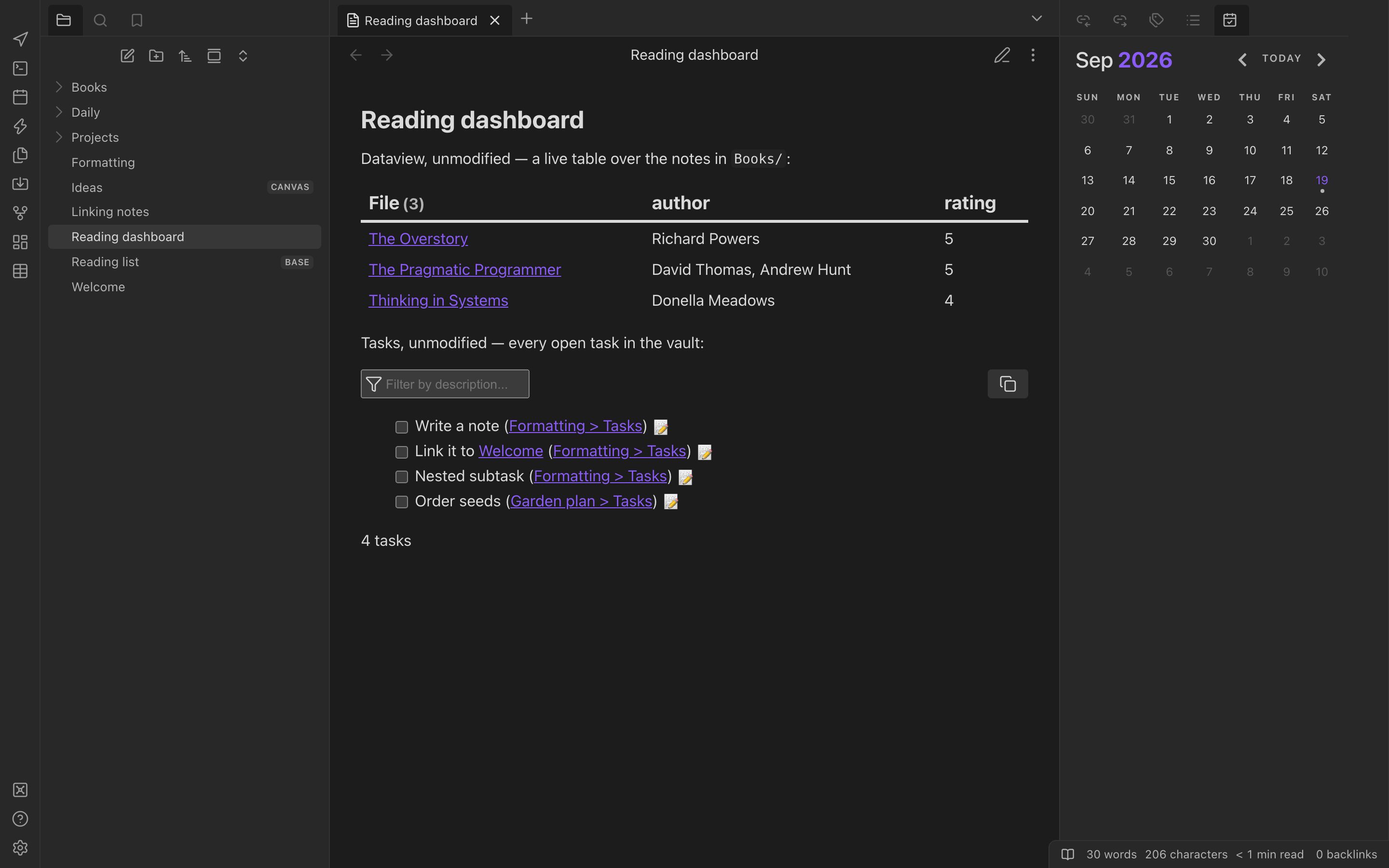
Graph view, Canvas and Bases are here, alongside backlinks, outline, tags, properties, daily notes, templates, the quick switcher and the command palette. They are Obsidian's core plugins, switched on and off in the same place.
A Rust core compiled to WebAssembly does the hard parts: Obsidian Flavored Markdown, link resolution and rename rewrites, the search query language, the Bases formula language, and the graph layout.
Still just Markdown underneath.
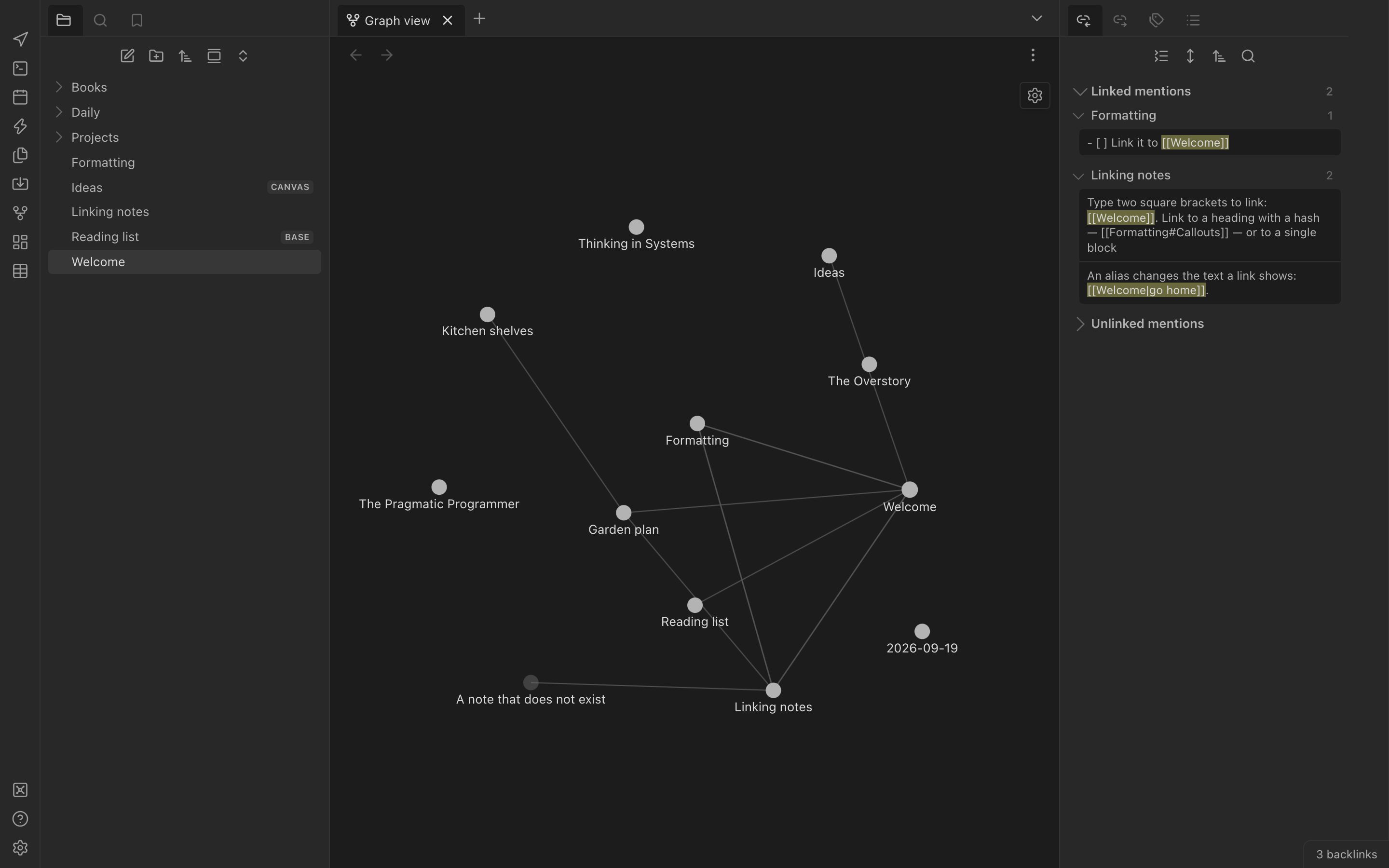
A Kanban board is a Markdown file; a canvas is a JSON Canvas file; a base is a .base file. Everything OpenMarkdown writes is a file another editor can open — including Obsidian, on the same folder, at the same time.
Edits made outside the app, in another tab or another pane are merged. A conflict keeps both sides and shows you a comparison.
Editor
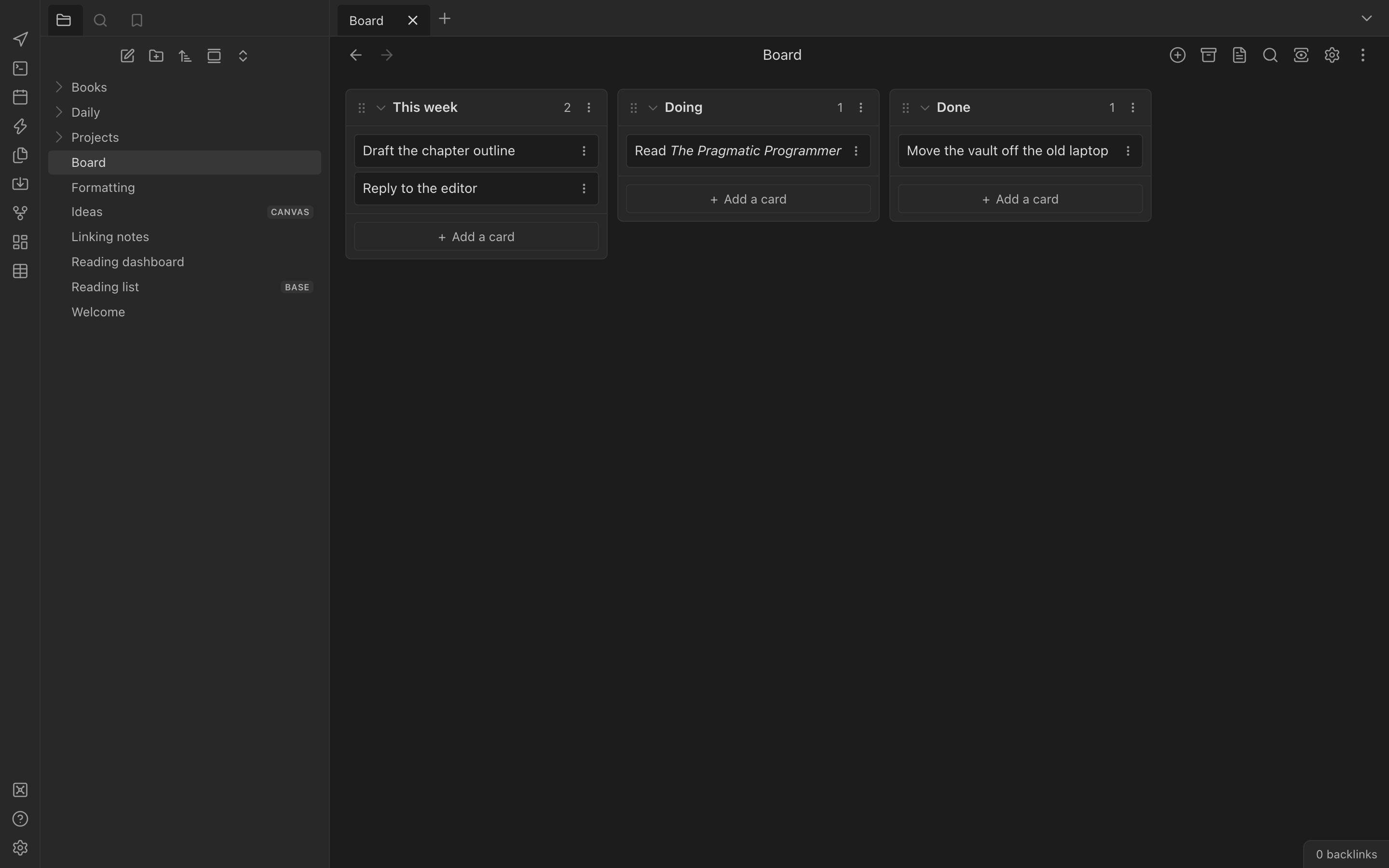
CodeMirror 6 with Live Preview, Source mode and Reading view; smart lists, tables, folding, vim, and autocomplete for links, tags, headings and blocks.
Obsidian Flavored Markdown
Wikilinks, heading and block links, embeds, callouts, tags, highlights, comments, math, Mermaid, footnotes, tasks, properties.
Search
Obsidian's query language — path:, tag:, line:, regex — plus replace across the vault with a preview and undo.
Writing
Find and replace, table keys and a table toolbar, focus and typewriter modes, word goals, and grammar checking that runs on your device.
Export
HTML, PDF, Word and EPUB written in the browser; slides; a static website from a folder; LaTeX and more through pandoc, fetched only if you agree.
Import
Evernote, Notion, Roam, Keep, Bear, Logseq, HTML and CSV, converted into Markdown notes in your vault.
Your notes are safe
Saves as you type, retries a failed save and says so, offers unsaved text back after a crash, and keeps line endings and encodings as they were.
On-device extras
Off by default: text recognition in images and PDFs, dictation, and summaries or translations with the browser's built-in AI.
Sync
End-to-end encrypted sync between your devices, to your own relay or the hosted one. Pair a device with a ten-character code.
How it works
Four steps, and none of them is an installer.
The app is a static page and a service worker. Your notes go from your disk to your browser and back, and nowhere else.
- 01
Open the app
Go to openmarkdown.ai/app/. It loads once, then works offline; install it from the browser menu if you want a window of its own.
- 02
Open your vault
“Open folder as vault” and pick the folder Obsidian uses. Or start a vault kept in the browser, or look around the demo vault first.
- 03
Your plugins load
Turn on community plugins and the ones already in your vault start, with your theme and CSS snippets. The store adds more.
- 04
Write
Edits land in the folder as you type. Obsidian, a text editor or Git on the same folder sees the same files.
Other places it runs
One app in the browser, two helpers beside it.
The web app is the product. The extension and the command line are optional, and today both are built from source.
In your browser
The whole app: vaults, plugins, themes, sync. Real folders on disk in Chromium browsers; a vault in browser storage everywhere else.
Open the web app Every current browserCompanion extension
A web clipper that reads Obsidian Web Clipper templates, and a network bridge so plugin installs and plugins that call web services work. It asks before reaching any site.
Build it from source Not in the stores yetCommand line and MCP
The vault CLI searches, renders, exports and publishes a vault folder, and serves it to AI agents over MCP — without the app running.
On a phone, the same app.
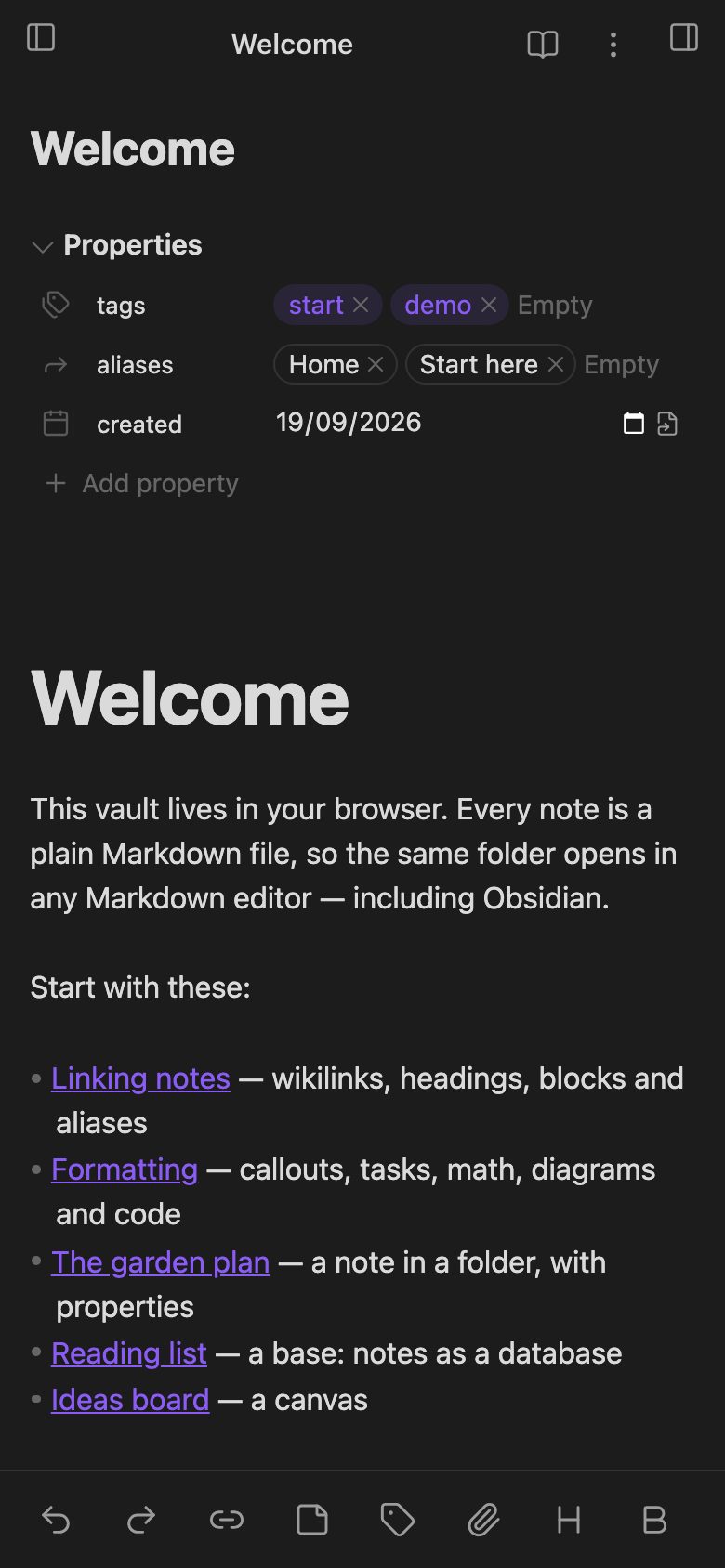
On touch devices OpenMarkdown uses Obsidian mobile's layout — drawers, bottom navigation, a toolbar above the keyboard — and works offline once added to the home screen.
Phone browsers cannot open a folder on disk, so a phone vault lives in the browser and stays current through end-to-end encrypted sync.
Privacy
No server of ours ever holds your notes.
The app needs no account, and nothing behind it holds your notes. The page you load is static files; everything else happens on your device. Signing in is optional and only carries a balance for our other apps. The full privacy policy.
Your notes stay where you put them
In a folder on your disk, or in your browser's own storage. The app reads and writes them there; it has nowhere else to send them.
Sync is end-to-end encrypted
Notes are encrypted on your device before they leave it, with keys that never appear on screen. The relay — ours or yours — stores ciphertext it cannot read.
AI is off, and local first
Nothing AI-related runs until you turn it on. Where a feature can run on your device it does; a cloud provider is used only with your key, after asking.
No analytics and no telemetry, in the app or on this site. The app talks to other sites only when you ask it to: the plugin store, a plugin that reaches a web service, a link you open in a web pane.
Pricing
The app is free, all of it.
No trial, no plan, no card. Only one thing might ever cost money, and it is optional.
The app
Every feature, every core plugin, every community plugin and theme. MIT or Apache-2.0, and the source is the build.
Sync on your own relay
Run the open-source relay on any server you have and everything syncs, attachments included, for nothing.
The hosted relay
The hosted relay syncs notes and admits accounts individually. Syncing images, PDFs and audio through it is planned as a paid plan; that plan is not available today.
FAQ
What people ask before they open their vault.
- Is OpenMarkdown made by Obsidian?
- No. OpenMarkdown is an independent, open-source project and is not affiliated with, endorsed by or connected to Obsidian or Dynalist Inc., who own the Obsidian trademark. It is a clean implementation of Obsidian's MIT-licensed plugin API and contains no code from the Obsidian app.
- Will it change my vault?
- Only the notes you edit. Your vault stays a folder of plain Markdown files, and settings stay in .obsidian/ in the formats Obsidian writes, so Obsidian and OpenMarkdown can open the same folder. OpenMarkdown's own additions keep their state in one extra file, .obsidian/openmarkdown-plugins.json.
- Which plugins work?
- Plugins that also run on Obsidian mobile. 24 of the 25 most-downloaded plugins are not desktop-only, and all 24 load and pass their core flows, including Dataview, Tasks, Templater, Kanban, Excalidraw, Calendar and Style Settings. Desktop-only plugins, the ones that need Node or Electron, are refused with a message, exactly as Obsidian mobile does.
- Which browsers does it work in?
- Opening a real folder on disk needs a Chromium browser: Chrome, Edge, Brave, Arc or Opera. Firefox and Safari keep the vault in browser storage instead, with import and export of the folder. Everything else, plugins and themes included, works in every current browser.
- Why would I install the companion extension?
- Two reasons. It is a web clipper that reads Obsidian Web Clipper templates, and it is a network bridge: a web page cannot fetch from sites that do not allow it, so installing plugins from the store and plugins that call web services (Git, AI providers, sync services) go through the extension. It asks before reaching any site.
- Can I use it offline?
- Yes. After the first visit the app works offline, and it can be installed as an app from the browser, where it opens .md files from the operating system and appears in the share sheet on Android and desktop Chromium.
Get started
Open your vault. It takes one click.
Free, no account needed, and nothing to install. Your notes stay in your folder.